Ultimate Guide to Live Chat & AI Chatbot Integration Strategies
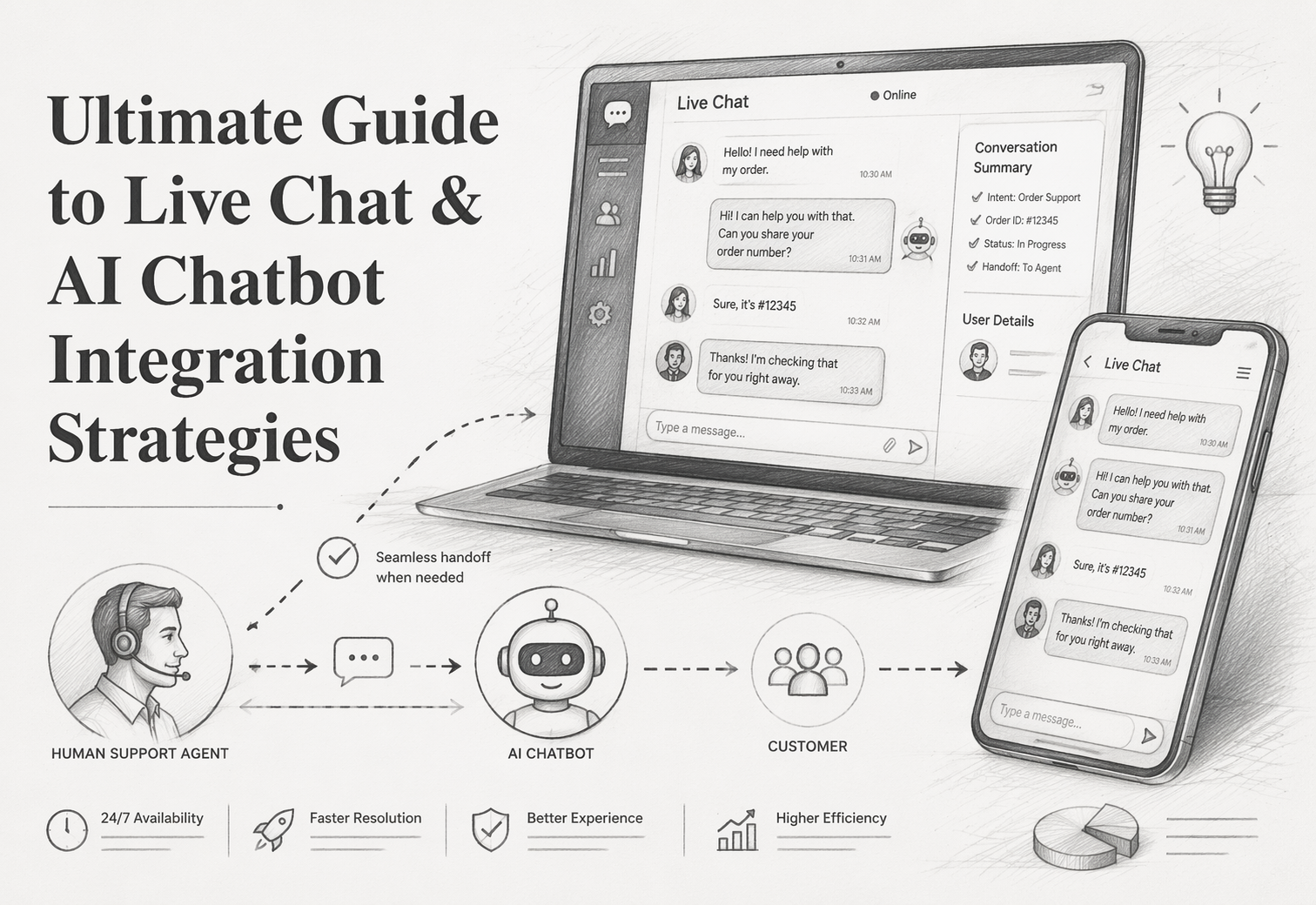
A shopper checks delivery on a product page, then opens chat to ask about returns. Your Live Chat Software should treat that as one person, one order, and one buying moment. Most brands still split those signals across tools. This guide shows how Live Chat Software, an AI Chatbot Platform, and other Customer Engagement Tools should work together, what to connect, what workflows to build, and how strong Live Chat Software setups drive sales and support quality.
1. Define the hybrid model you actually need
Start with a simple split: let AI handle volume, and let people handle risk. AWS says AI agents can answer questions, guide steps, complete actions, and pass chats to humans with full context through seamless handoff.
- Use chatbots for repeatable, low-risk tasks
- Order status
- product matching
- stock checks
- sizing help
- basic compatibility questions
- FAQ answers
This is where Kandid fits well. It can guide shoppers fast, stay on brand, and keep sales moving 24/7.
- Use live agents for complex or high-emotion cases
- Billing disputes
- damaged orders
- complaints
- refunds with edge cases
- technical failures
- VIP buyers who need trust
IBM notes human agents still matter most for solving complex problems with emotional judgment in AI customer service.
Also Read: Visitor Engagement Automation vs Chat-Only Interactions
2. Connect your systems so context follows the conversation
Sync customer data from your CRM and commerce stack. Pull in order history, loyalty status, returns, and past chats before the bot or agent replies. That cuts repeat questions and bad handoffs. Twilio says conversation memory should carry context across channels so customers do not have to start over Twilio Conversation Memory.
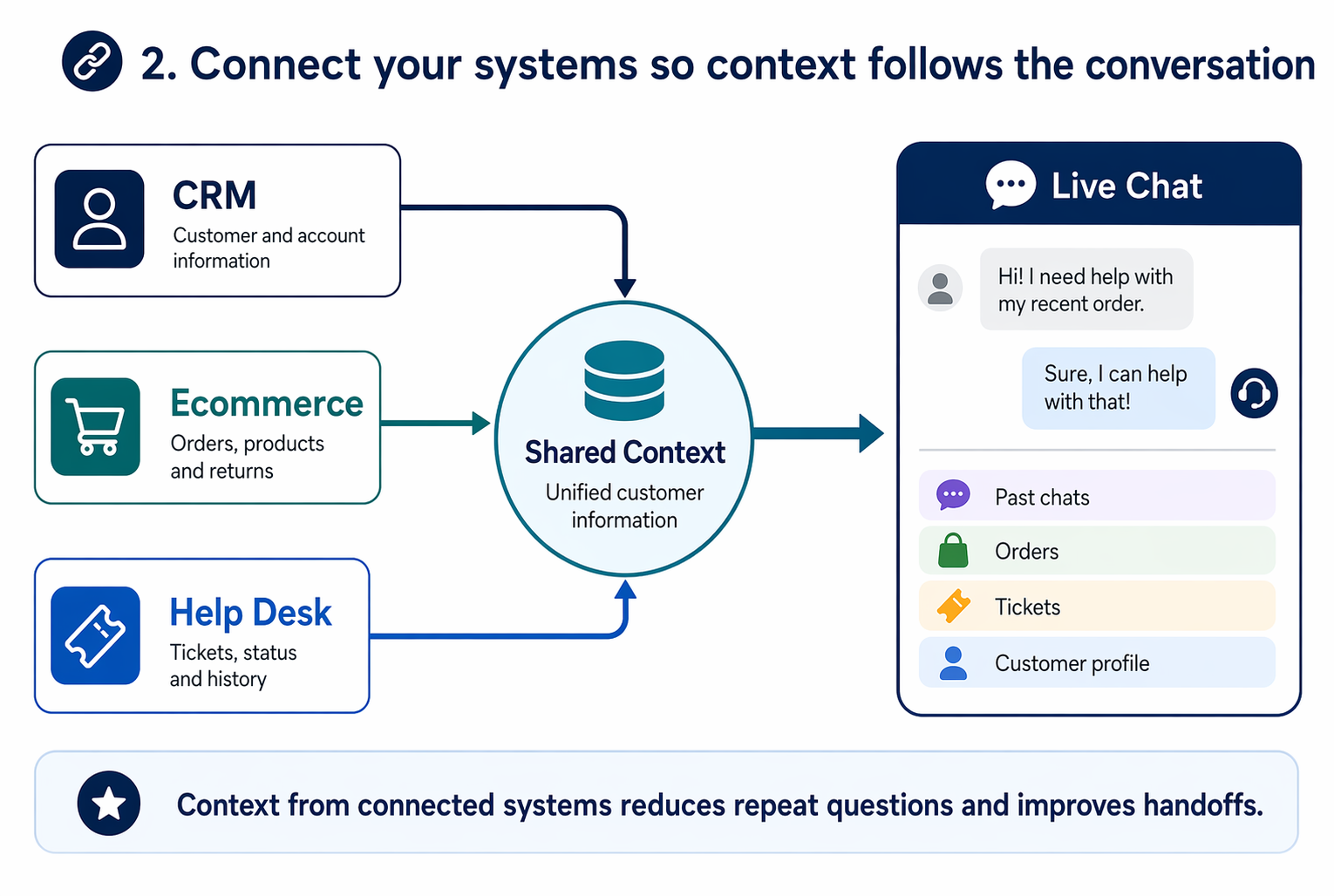
Start with read-only access for AI, then add write actions after QA.
Ground answers in your knowledge base and help desk. Sync approved policies, product docs, and ticket macros so replies stay accurate. HubSpot notes its customer agent answers with synced content and hands off when confidence is low HubSpot customer agent. Kandid fits well here when brands need product-aware sales chats tied to catalog data.
Also Read: Live Chat vs AI Chatbot: Which One Actually Converts Better in 2026?
3. Design the handoff and escalation flow
Set rules before launch. Use more than one trigger. Good teams combine low confidence, repeat failure, sensitive topics, and direct requests for a human. NIST’s AI risk guidance also stresses governance and risk controls, so refunds, fraud, and account changes should bypass AI fast.
- Escalate on:
- explicit human request
- 2 failed answers
- high-risk intent
- low confidence on product fit
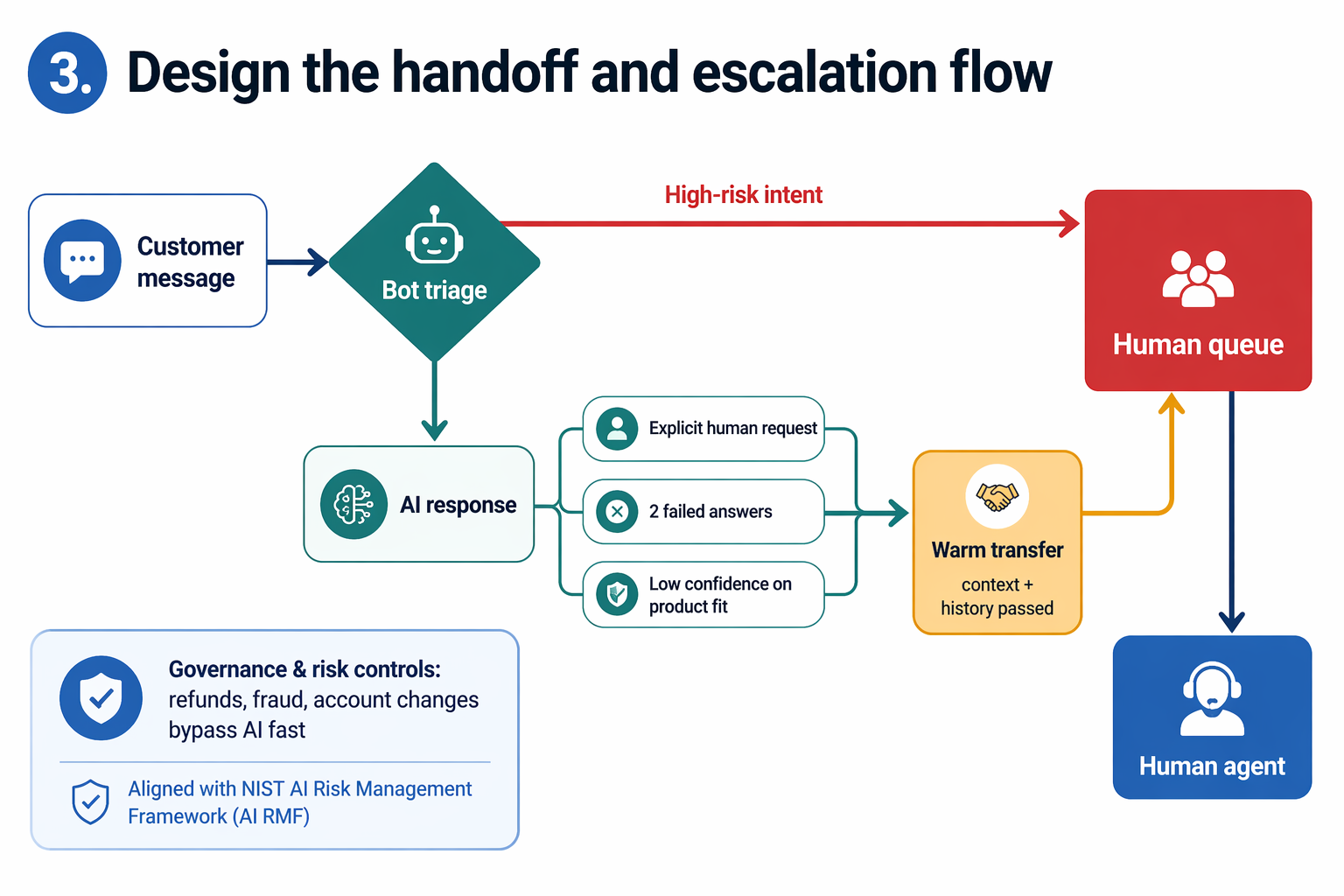
Make transfer feel smooth, not like a dead end. Pass the full chat history, key variables, cart details, and the reason for transfer. Microsoft notes that strong handoff setups share conversation history and relevant variables with the live agent during transfer.
Tell the shopper what happens next, who they will reach, and whether they need to wait.
Also Read: Visitor Engagement Automation: 10 Triggers That Convert
4. Measure impact and optimize the stack
Track business impact first. Your stack works if it cuts friction and grows revenue. Watch first response time, first contact resolution, average resolution time, CSAT, and cost per resolution. Zendesk lists these as core support KPIs, and defines FCR as the share of issues solved in one interaction in its KPI guide and FCR overview.
- Tie support data to:
- conversion rate
- AOV
- assisted revenue
- refund rate
- repeat purchase rate
Review metrics by intent, not just by channel.
Improve the system by reading real conversations each week. Look for:
- repeated pre-sale questions
- failed bot handoffs
- wrong product matches
- slow agent rescue moments
Use those findings to update bot prompts, routing rules, FAQ content, and human macros. If Kandid or a similar sales agent is in the mix, score chats on both resolution quality and revenue lift.
Turn your chat stack into revenue, not ticket clutter. See how Kandid gives D2C teams real-time AI sales agents with fast onboarding and measurable lift.
Frequently Asked Questions
Q1: What are the key strategies for effective AI chatbots integration within live chat systems?
Use AI for routing, FAQs, and product guidance. Send complex, emotional, or high-value chats to humans fast. Keep one shared inbox, clear handoff rules, and synced customer context.
Q2: How does AI chatbot integration impact customer service KPIs like response time and resolution rates?
It cuts first-response time and lifts containment for simple issues. Resolution rates improve when bots collect intent, order data, and urgency before handoff, so agents start with context.
Q3: What are the best practices for connecting AI chatbots to help desks, CRMs, and knowledge bases?
Connect one source of truth first. Clean your help content, map customer fields, track handoff tags, and review failed answers weekly. Kandid fits well when sales and support data must work together.
Conclusion
Live chat plus AI works best as a hybrid system. Deep AI integration lifts results, while easy human handoff builds trust, according to Intercom’s 2026 report and Liveops research.