How to Build a Dynamic Storefront for Maximum Conversion
Quick Summary: A dynamic storefront boosts conversions by customizing content based on audience intent and stock, but it must stay fast and simple. Focus on key pages like product and checkout first, and personalize lower on the page to avoid slowing load times. Measure each change carefully to ensure it improves revenue and user experience.
If your Shopify homepage shows every shopper the same hero, tiles, and promo, your Dynamic Storefront is not doing its job. That hurts Ecommerce Conversion and wastes easy wins. This guide shows how to build a Dynamic Storefront that changes by audience, intent, and stock without killing site speed. It comes from operator-level Conversion Optimization work focused on measurable lifts, clear setup order, and a Dynamic Storefront that converts more traffic.
1. Choose the storefront surfaces that should change first
Start where buyer intent is already strong. Change product pages, collection pages, cart, and checkout entry points first. Baymard’s research shows product page UX and checkout flow quality directly shape whether shoppers keep moving or drop off product page findings. Leave low-intent pages like blog posts and about pages for later.
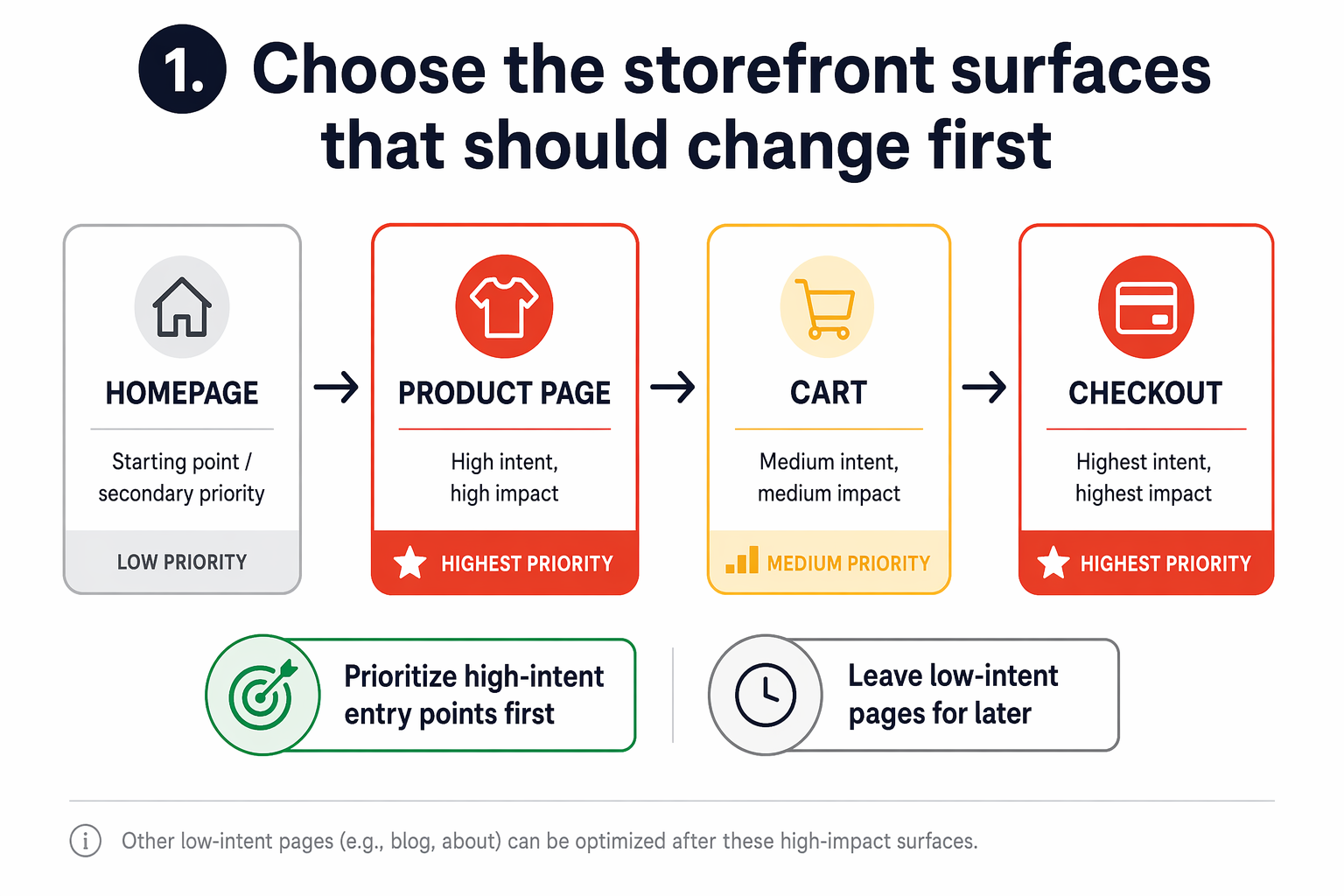
Use one variable at a time before you stack rules. Test one surface change, like dynamic product recommendations or message order, then measure add-to-cart, checkout starts, and conversion. Baymard also tracks checkout friction as a major cause of lost sales in checkout usability research.
Also Read: Dynamic Storefront Review: How AI-Powered Storefronts Are Reshaping Ecommerce in 2026
2. Build speed-safe personalization into your theme
Keep personalization away from your hero, main image, and first CTA. web.dev says LCP should stay at 2.5 seconds or less, so do not swap headline blocks or hero media after load. Personalize lower on the page first, like product badges, bundles, or FAQ order.
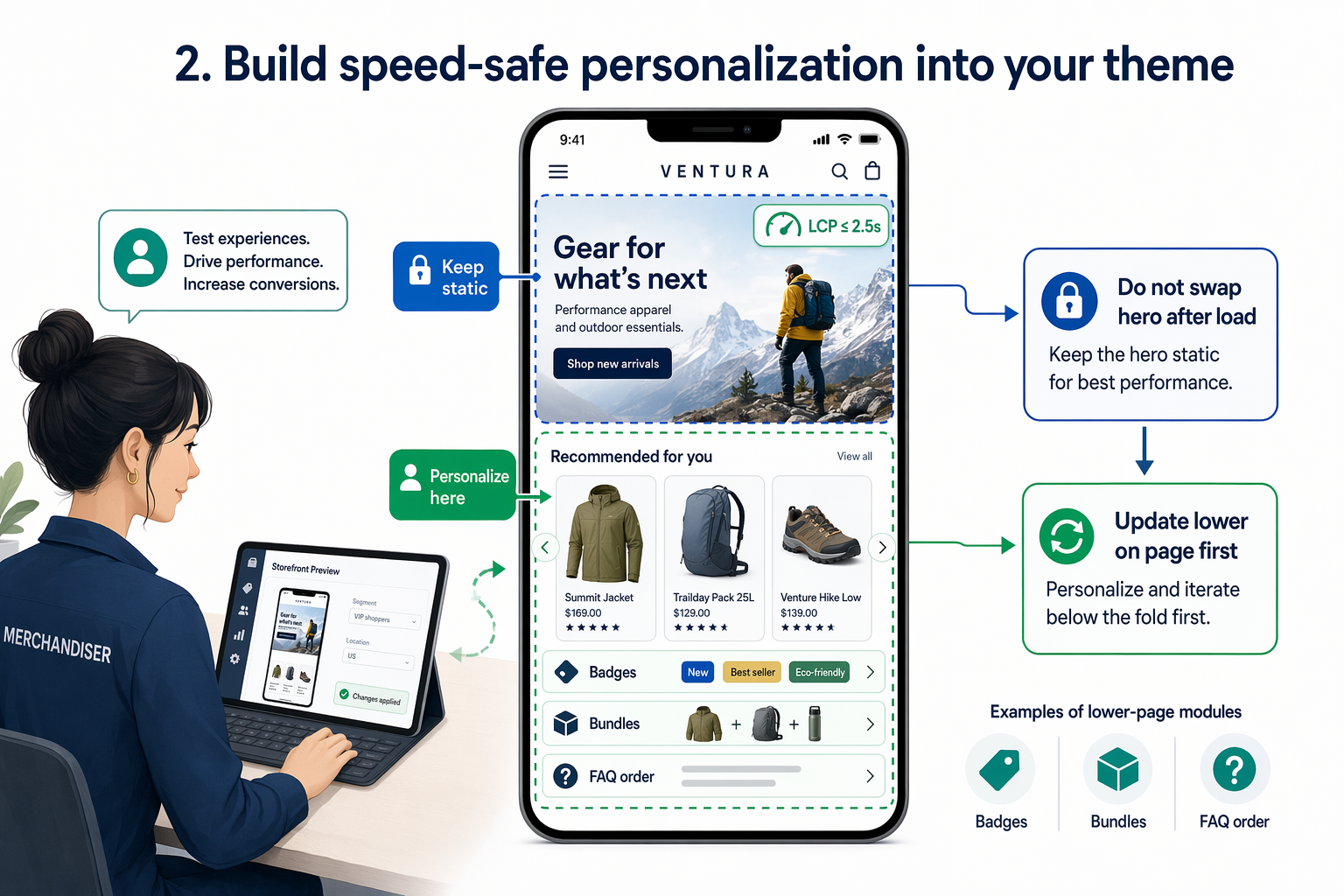
Strip out app bloat before you add dynamic logic. Chrome notes that render-blocking scripts and styles delay first paint. Use one personalization layer, defer non-critical scripts, and remove duplicate trackers or widgets fighting for the same page slot.
Test every dynamic change on real mobile devices, not just desktop preview. Check:
- hero load
- CTA visibility
- scroll smoothness
- layout shift after variant or content swaps
If personalization helps relevance but hurts speed, it will usually lose.
Also Read: Dynamic Storefront: 12 Ways to Lift Visitor Conversions
3. Match content to intent so visitors reach the right product faster
Match the page to the click. If an ad says "compare EV charger speeds," your hero should repeat that promise, show the right category, and remove extra choices. Personalized rankings can help shoppers buy faster and cut returns, according to recent research on personalization.
Segment the storefront by shopping state:
- First-time visitors - lead with category guides, quizzes, and top sellers.
- Returning visitors - show recently viewed items, saved carts, and next-step proof.
- High-intent shoppers - surface specs, fit, delivery dates, and comparison tools first.
Kandid fits well here if your catalog needs live answers on specs, compatibility, or product differences.
Use urgency and trust blocks with care. The FTC says manipulative dark patterns remain common, with nearly 76% of reviewed sites showing at least one possible issue in 2024 FTC review findings. Show low stock, delivery cutoffs, and shopper activity only when the data is real.
Also Read: Kandid vs. Manifest: Which Dynamic Storefront Is Best for Your Business?
4. Measure the lift and refine the dynamic rules
Track incremental revenue per session, conversion rate, AOV, bounce rate, and time to purchase by segment. Compare exposed users vs a clean holdout, not just sitewide trends. Check sample ratio mismatch first. Microsoft says about 6% of A/B tests show this issue, which can break trust in the result Microsoft Research.
Use a simple test plan before you scale rules:
- Test one rule at a time.
- Keep the control static.
- Run long enough for stable results.
- Cut weak segments fast.
If a rule lifts engagement but hurts checkout rate, it failed.
For more context, link this back to the parent guide on building a dynamic storefront.

Turn your dynamic storefront into a revenue engine with Kandid - real-time AI sales agents that guide shoppers, answer fit questions, and lift conversion fast.
Frequently Asked Questions
Q1: What are the key elements for building a high-converting Shopify store?
Clear value prop, fast pages, strong product pages, trust signals, simple nav, and fewer checkout steps matter most.
Q2: How can I optimize my Shopify store for faster load times and better conversions?
Compress media, cut app bloat, trim scripts, use fewer fonts, and test mobile speed before adding new storefront features.
Q3: What proven strategies increase online store conversion rates globally?
Local currency, clear shipping and duties, localized copy, mobile-first UX, strong reviews, and guided selling all help.
Conclusion
A dynamic storefront works when it stays fast, relevant, and easy to buy from. Keep pages lean, personalize with intent, and measure each change. Even a 0.1 second speed gain can lift retail conversions, according to Google and Deloitte research.