Dynamic Storefront: 12 Ways to Lift Visitor Conversions
If your storefront looks the same to every visitor, you are likely leaving conversions on the table. Most ecommerce sites still rely on static category pages, generic banners, and one-size-fits-all product discovery, which kills momentum in a crowded market. A dynamic storefront uses real-time data, segmentation, and AI-driven merchandising to show the right products, messages, and support at the right moment. This framework is built for modern D2C and product-led teams that want practical conversion wins without adding friction.
Quick Summary: The article argues that ecommerce storefronts convert better when they adapt in real time to visitor behavior, intent, and context instead of showing the same static experience to everyone. It highlights 12 tactics, led by personalized homepage banners, AI product recommendations, real-time shopping assistance, and dynamic collections/badges/offers, all designed to reduce friction and help shoppers decide faster. The implementation advice stresses starting with high-intent pages and a few key segments, preserving speed and consistency, and measuring impact with A/B tests and holdouts so personalization improves revenue without hurting UX.
What a Dynamic Storefront Is and Why It Converts Better
A dynamic storefront is a site that changes in real time for each visitor. Layout, products, copy, and prompts all adapt based on behavior, context, and intent.
A static store is the opposite. Same category tree, same product listing, same PDP for everyone. That model made sense when ecommerce copied catalogs. It does not fit a world where shoppers expect a guided, conversational experience.
Dynamic storefronts behave more like a great in-store associate. They reorder products based on what you click, adjust banners to match campaigns, and surface tailored recommendations as you move through the site. AI driven layouts can reshape product placement, images, and messaging per visitor, and studies on AI retail systems show double digit lifts in conversion and order value when stores use real time personalization, as highlighted by rewarx.com.

Why does this convert better? Because it cuts friction. A shopper does not dig through filters or FAQs. They answer a few questions, see 2 to 3 relevant picks, and get clear reasons to buy. Less wandering, more deciding, higher conversion and AOV.
12 Dynamic Storefront Tactics That Lift Conversions
You do not need 50 experiments. You need a tight set of dynamic moves that actually move revenue.
Here are 4 high impact tactics to start with.
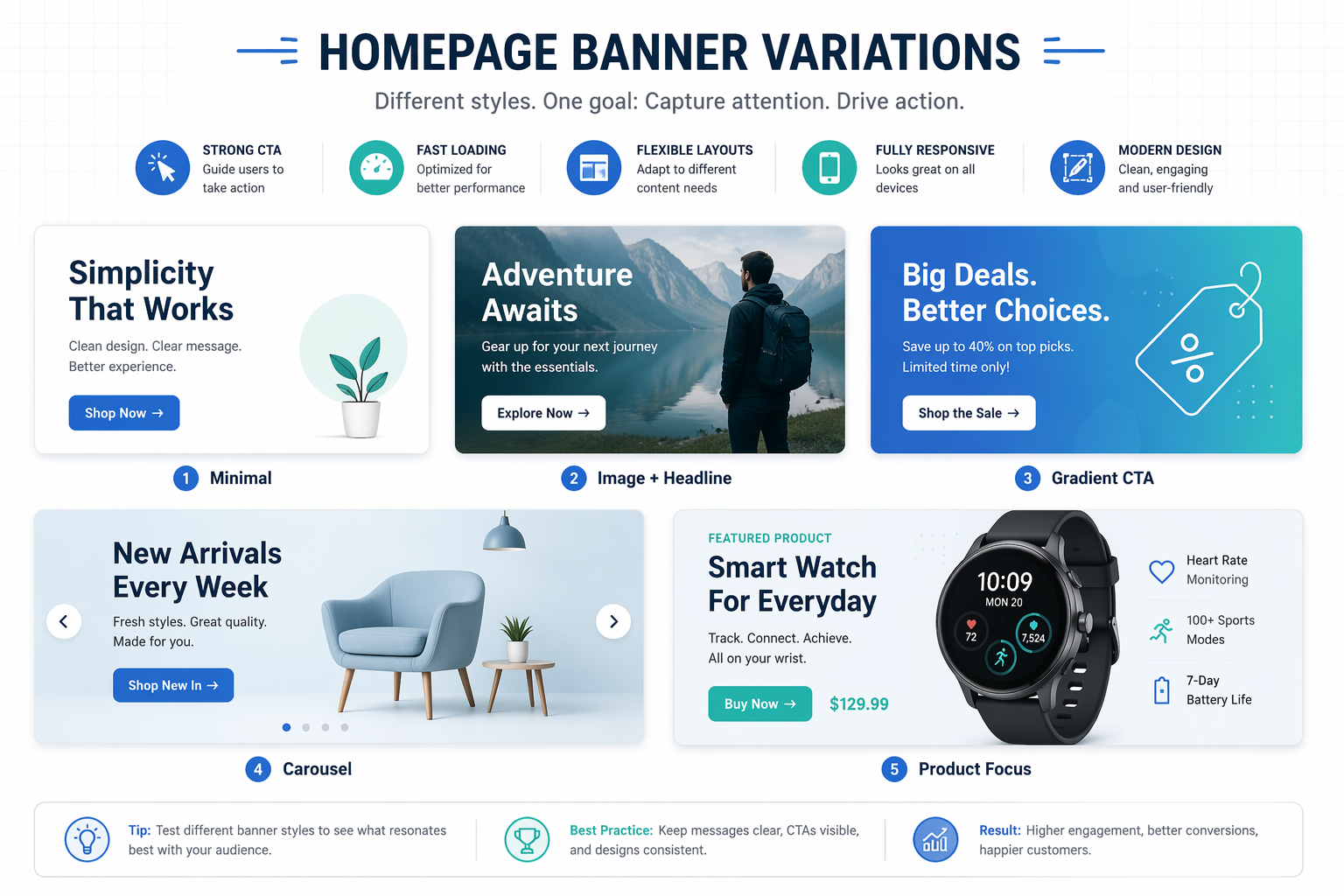
1. Personalize homepage banners by source or segment
Your homepage should not look the same for every visitor.
- Show new visitors a simple value prop and social proof.
- Show returning buyers new arrivals or a loyalty perk.
- Show paid search traffic a banner that matches their ad keyword.
Research on ecommerce personalization shows that dynamic content by segment can lift engagement and conversion across the journey, not just on product pages shopify.com.
Quick ways to segment:
- Traffic source: Meta, Google, email, organic.
- Device: desktop vs mobile.
- Intent: new vs returning, high AOV vs discount driven.
Start with 2-3 versions, not 10. Use your A/B testing platform to prove lift before you scale variants.
2. Use AI product recommendations across key pages
Static bestsellers are lazy merchandising.
AI recommendation engines now drive up to a third of ecommerce revenue in well tuned stores digitalapplied.com.
Place recommendations in:
- Homepage: trending for new users, recently viewed for returners.
- PDP: "complete the look" and "similar items".
- Cart: low friction add ons that match cart contents.
Key rule: match placement to intent.
- Discovery intent: show variety and newness.
- Purchase intent: show low risk add ons, not big ticket swaps.
Tie this to your analytics dashboard. Track revenue per visitor, not just clicks.
3. Surface real time shopping assistance for product questions
Most dropoffs on complex products come from confusion, not disinterest.
For EVs, tech gear, and skincare, people want answers like:
- Will this work with my setup?
- What size or shade should I pick?
- How does this compare to product X?
Use an AI sales agent, like Kandid, as a persistent assistant on key pages:
- PDPs and comparison pages.
- Cart and checkout for last minute doubts.
- Education hubs for specs and compatibility.
The agent should:
- Read your full catalog and policies.
- Ask clarifying questions.
- Recommend specific SKUs, not vague ranges.
- Hand off to human chat when needed.
You are not adding a chatbot. You are adding a product specialist that never sleeps.
4. Adapt collections, badges, and offers by intent
Collections, badges, and promos should flex with shopper intent.
Examples:
- New visitors: show "best for beginners" and "most popular" badges.
- Power users: show "pro" or "performance" collections first.
- Deal seekers: highlight sale filters and limited time offers.
Use signals like:
- Entry page and search terms.
- Past order history.
- On site behavior in the current session.
Practical tweaks:
- Reorder collection grids so likely buys sit above the fold.
- Swap badges based on margin and inventory.
- Change offers by segment - free shipping for one, bundle save for another.
You are turning a static catalog into a live salesperson that reshuffles the shelf for each shopper.
How to Implement Dynamic Personalization Without Breaking UX
Treat dynamic personalization like surgery, not decoration. Change only what moves the needle and keep the body stable.
1. Start with high-signal pages and segments
Begin on high-intent pages like PDPs, cart, and key landing pages. Pick 3 to 5 segments, not 30: new vs returning, high AOV traffic, and branded search. Focus on headlines, hero blocks, recommendations, and CTAs, just like razegrowth.com suggests for dynamic pages.
2. Protect speed, trust, and consistency
Keep layout and nav fixed. Only swap content blocks. AI UX work shows even small delays kill lifts, so keep personalization decisions under 100ms and watch Core Web Vitals using guidance from heurilens.com. Align copy, pricing, and promos across devices and channels to avoid confusion.
3. Measure lift with simple experiments
Run A/B tests with a 10 to 20 percent holdout for the default experience. Track conversion rate, revenue per visitor, and segment-level impact. If a variant helps one segment but hurts another, adjust rules or narrow targeting before rolling out system-wide.
conclusion: Build a Storefront That Adapts to Buyers
Treat your storefront like a live sales floor, not a static catalog. Let real behavior drive layouts, recommendations, and offers. Use AI agents like Kandid to answer questions, decode specs, and guide choices in real time. Then close the loop with an analytics dashboard, tight A/B testing, and clear goals. If you keep learning from every session, your storefront will keep getting better at converting buyers.
Audit your storefront and pick one dynamic experience to test this quarter. Then plug in Kandid to guide every visitor to purchase.
Frequently Asked Questions
Q1: How fast can I see results from a dynamic storefront?
You usually see early lifts in conversion within 2 to 4 weeks. Start with one or two tactics, like better product recommendations and clearer navigation. Track uplift with your A/B testing platform before rolling out more changes. Iterate weekly instead of waiting for a big relaunch.
Conclusion
A dynamic storefront is not a shiny add-on. It is how you make every visit feel relevant across the full journey. The biggest lifts come from smart merchandising, sharp recommendations, and useful assistance, especially on high-intent pages you can test and measure. Keep speed, trust, and consistency tight, or even great personalization will underperform.